Subscription Not Showing as Active
What to do if the app doesn't recognize your subscription.
If Sound Safari says you need to subscribe but you already have an active subscription:
Step 1: Check your subscription status
1. Open your iPhone's Settings app
2. Tap your name > Subscriptions
3. Verify that Sound Safari shows as "Active"
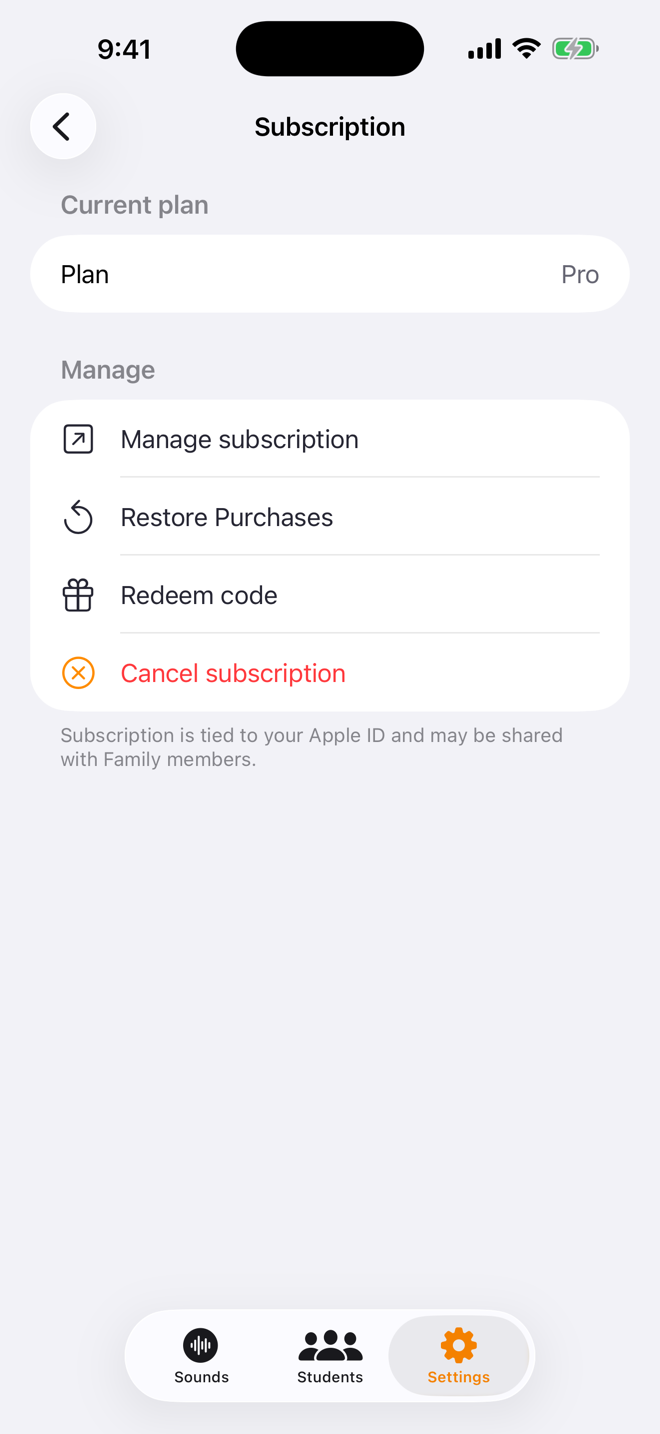
Step 2: Restore purchases in the app
1. Open Sound Safari
2. Go to Settings and tap Subscription under Account
3. Tap Restore Purchases
Step 3: Check your Apple ID
If you used a different Apple ID to subscribe, you'll need to sign in with that account to access your subscription.
Still not working?
Email us at help@soundsafari.app with your Apple ID email and we'll help troubleshoot.
Was this helpful?
Still need help? Share an idea