How to Delete Your Account and Data
How to permanently remove your data from Sound Safari.
You can delete your data at any time from within the app.
Delete a single student:
1. Open the student's profile
2. Tap the gear icon
3. Tap Delete
4. Confirm deletion
This permanently removes the student and all their session data, SOAP notes, goals, and progress.
Delete all app data:
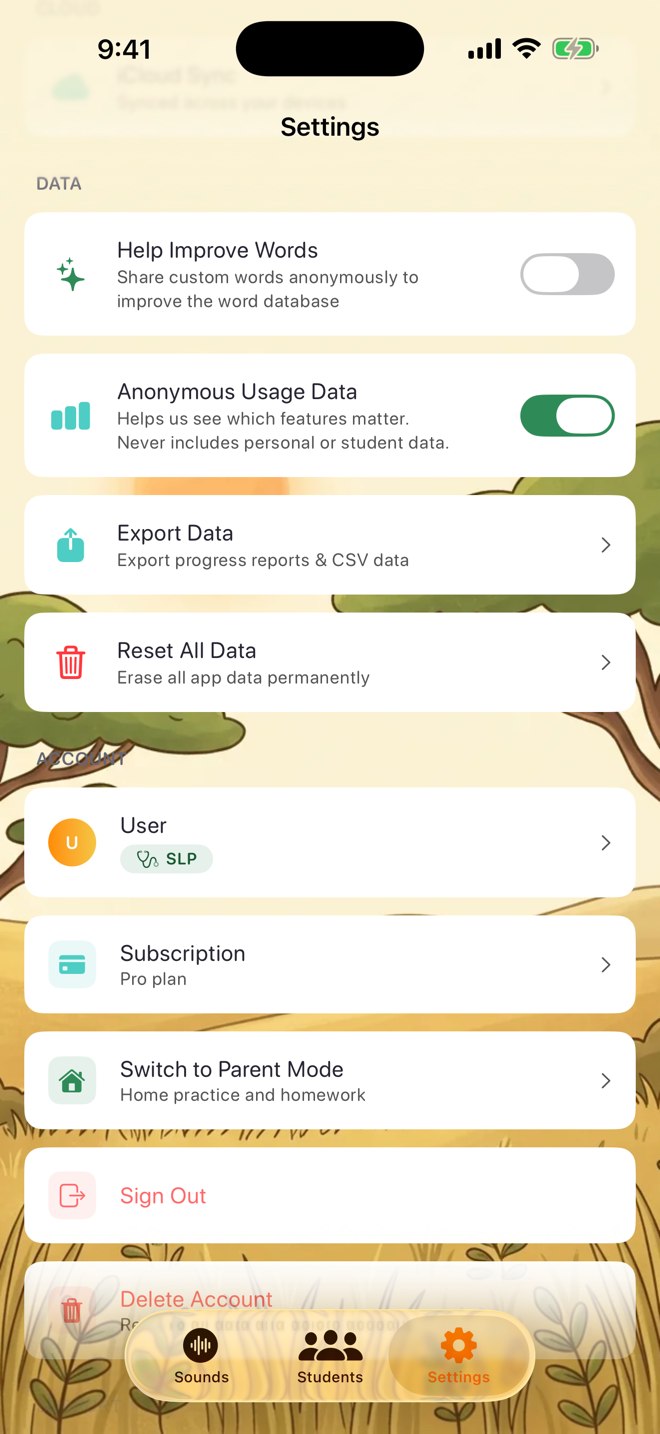
1. Go to Settings
2. Scroll to the Data section
3. Tap Reset All Data
4. Confirm
This removes all students, sessions, notes, and settings from your device and iCloud.
Delete your account:
1. Go to Settings
2. Scroll to the Account section
3. Tap Delete Account
4. Confirm
This deletes your authentication account and all associated data.
Important:
- Deleted data cannot be recovered
- If iCloud sync is enabled, deletion applies to all your devices
- Your subscription (if active) must be cancelled separately through Apple Settings
Was this helpful?
Still need help? Share an idea