Running Probes and Tracking Baselines
Quick no-cue assessments for baselines and progress monitoring.
Probes are quick, no-help assessments: ten words for one sound in one position, scored correct or incorrect. Because there's no prompting, feedback, or cueing, the result is a clean measure of what the student can do independently — which makes probes the right tool for baselines and progress monitoring. Probes are a Pro feature.
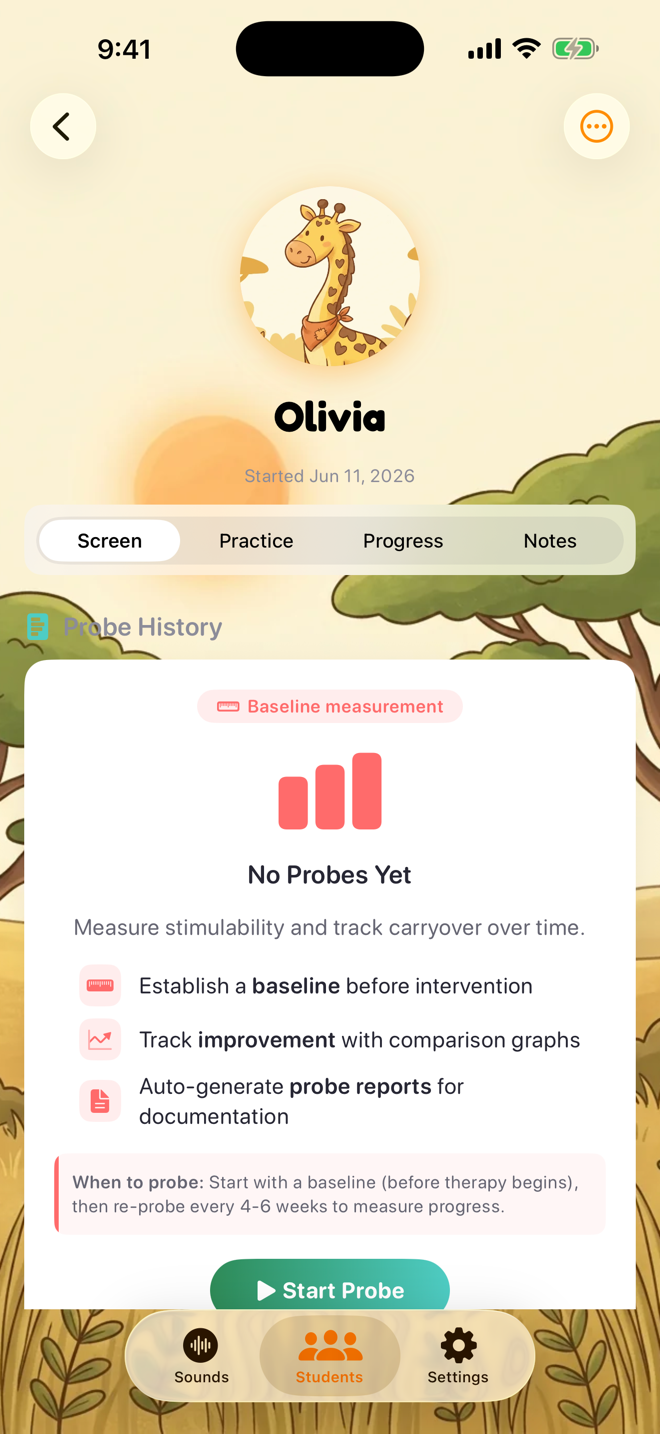
Running a probe
Open the student's profile and tap the Screen tab
Tap Start Probe and choose the sound and word position
The first probe for a sound and position is labeled your Initial Baseline, and you can link it to an IEP goal so progress tracks automatically
Say each word, listen, and score Correct or Incorrect — accuracy isn't shown until the end, and the student sees no cues


Reading the results
When all ten words are scored you'll see the accuracy percentage and a word-by-word breakdown, with room for notes before saving.

Baseline, then re-probe
Start with a baseline before intervention, then re-probe the same sound and position every 4–6 weeks. Each probe saves to the student's Probe History so you can compare over time, and probe results can feed IEP goal progress and PDF reports.
Tip: if you classify error types during probes (substitutions, distortions, omissions), turn on Probe Error Classification in Settings → Scoring.
Was this helpful?
Still need help? Share an idea