Running Your First Practice Session
A walkthrough of starting and completing a session.
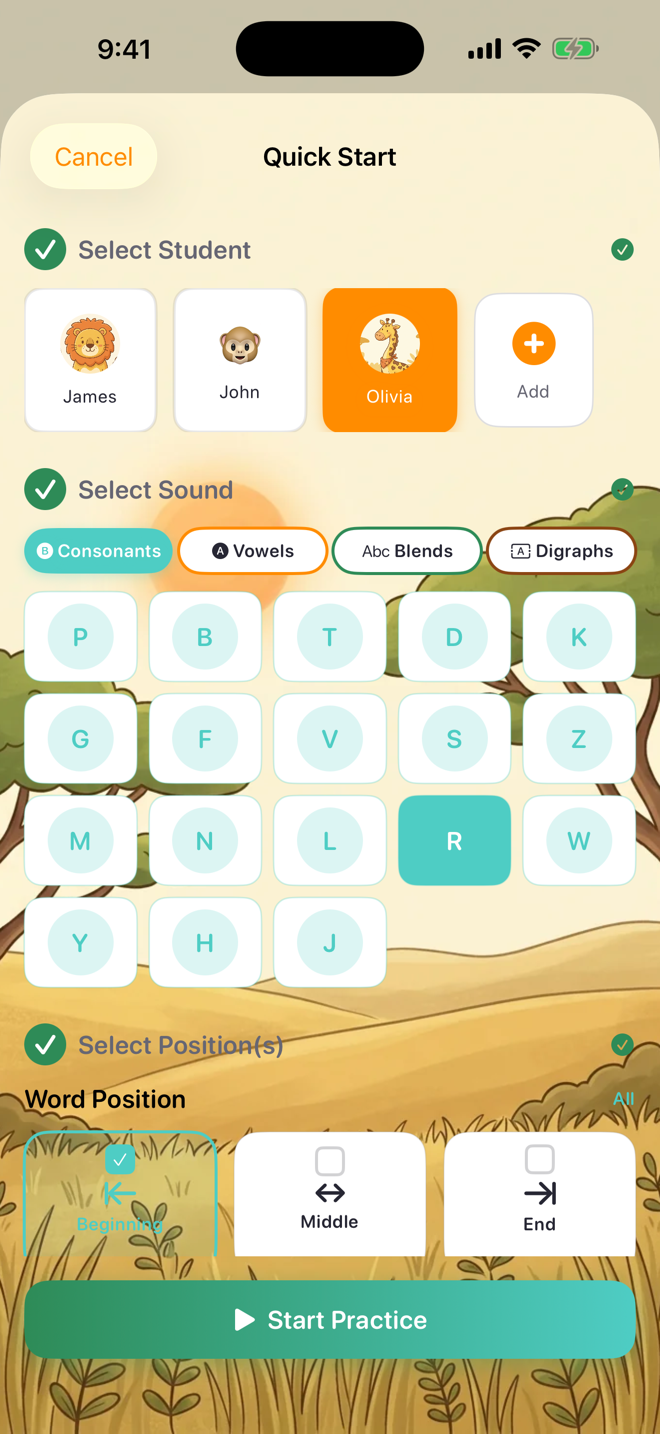
Quick Start (fastest way):
1. Tap Quick Start on the Sounds tab
2. Choose a student
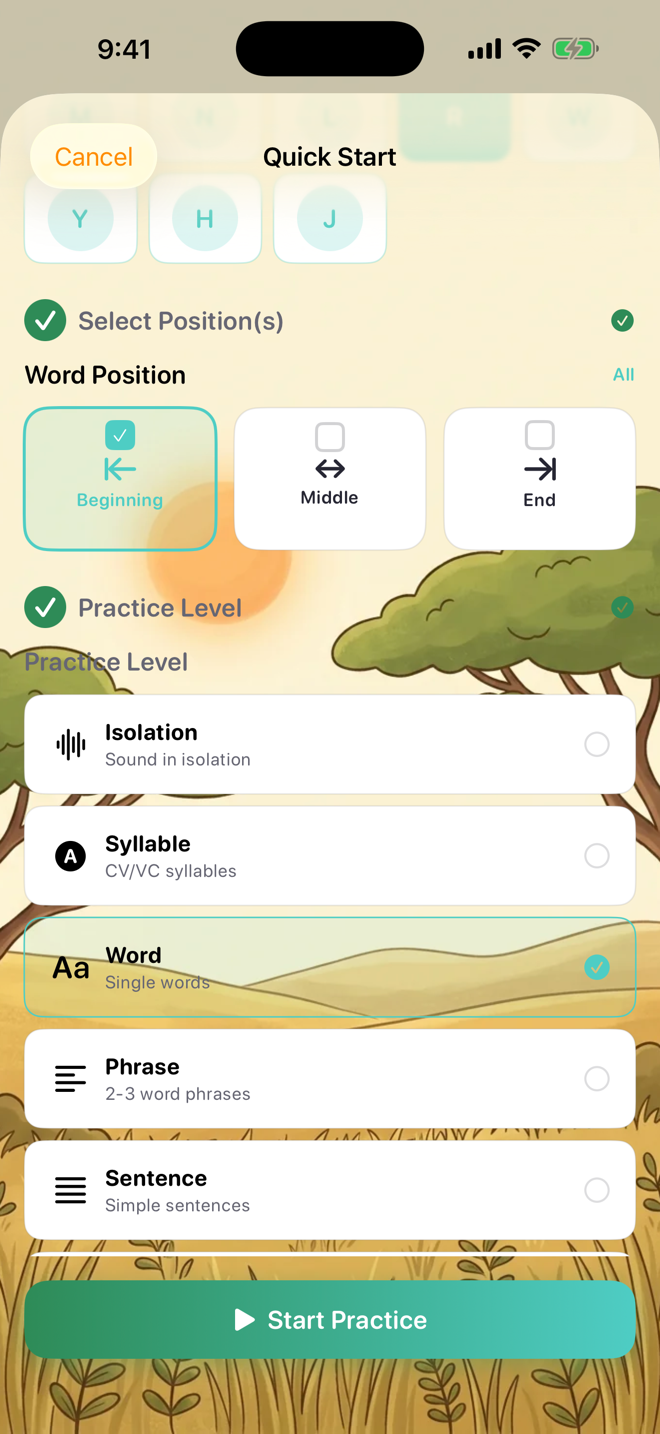
3. Tap a sound (e.g., /S/) and choose a word position (Beginning, Middle, or End)
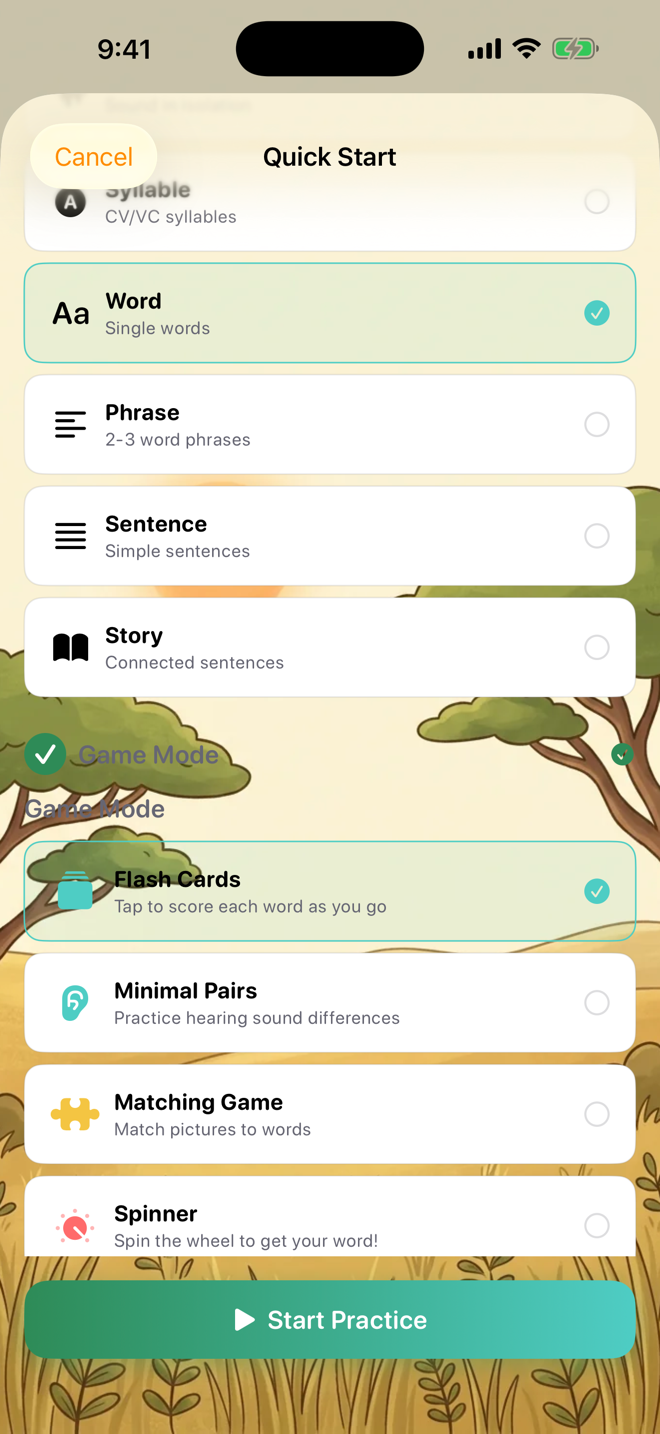
4. Pick a practice level and game mode
5. Tap Start Practice
From a student's profile:
1. Tap the Students tab
2. Tap a student
3. Tap a sound to practice
4. Choose position, game, and settings
5. Tap Start Practice
During the session:
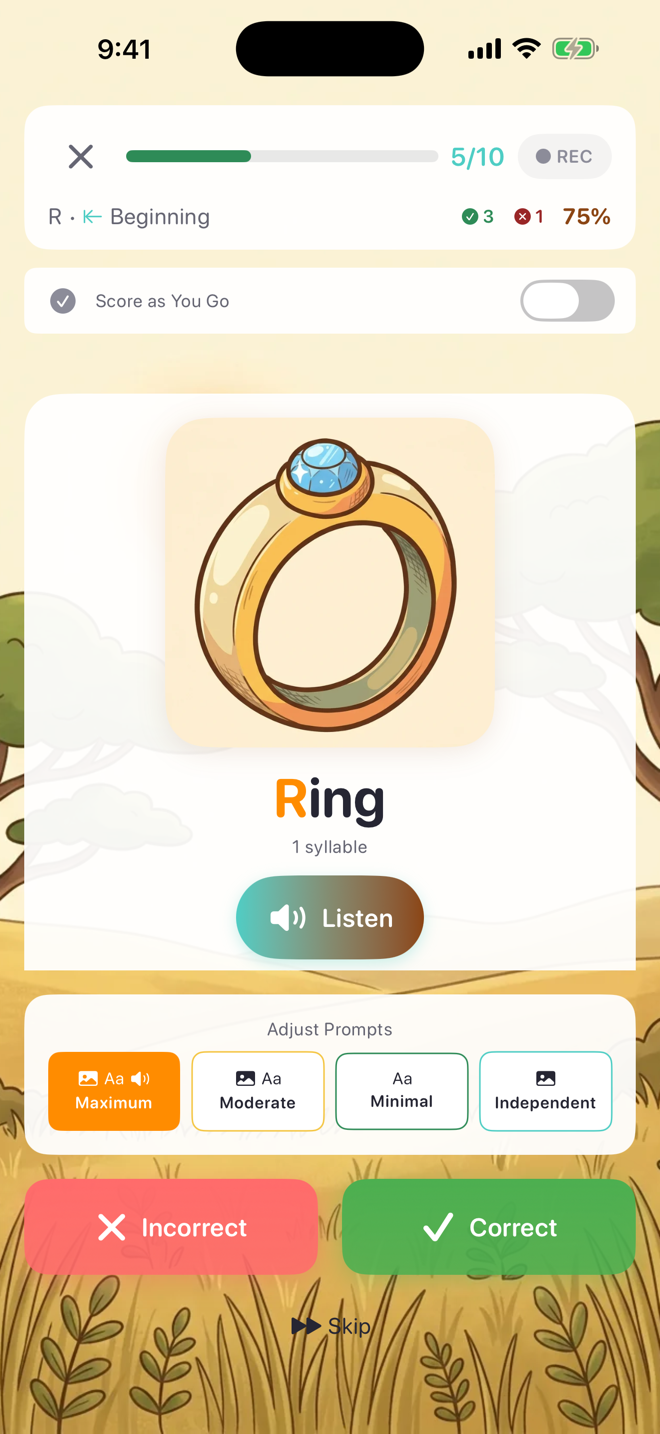
- Each word shows with a picture and phonetic spelling
- Tap Correct (✅) or Incorrect (❌) after each attempt
- Adjust the prompting level using the slider at the bottom
- Tap the X to end the session early
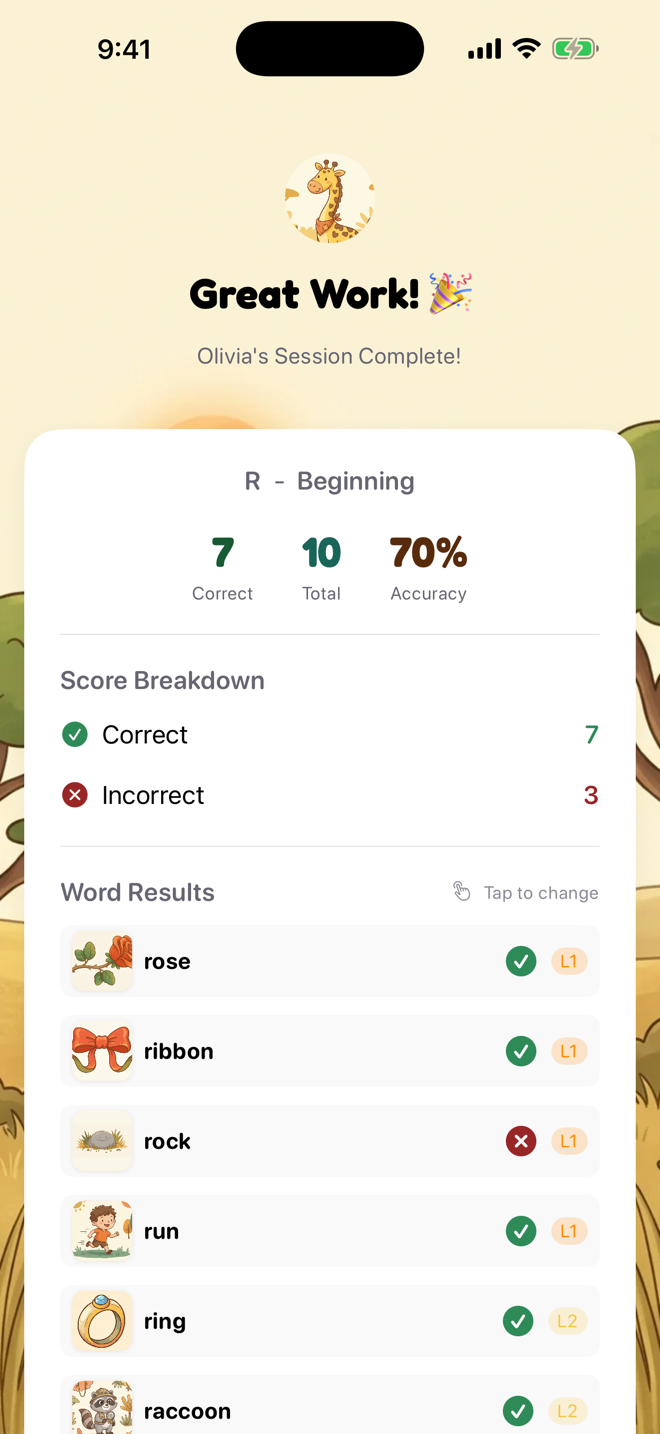
After the session:
- View your results (accuracy, word breakdown)
- Generate a SOAP note (Therapist mode)
- Assign homework to practice at home
- The session is automatically saved to the student's progress
Was this helpful?
Still need help? Share an idea