Exporting Progress Reports and Data
PDF progress reports and CSV exports for documentation and IEP meetings.
Everything Sound Safari tracks can leave the app as a PDF report or a CSV spreadsheet — for IEP meetings, progress reporting, or your own records. Find it under Settings → Data → Export Data.

PDF progress reports
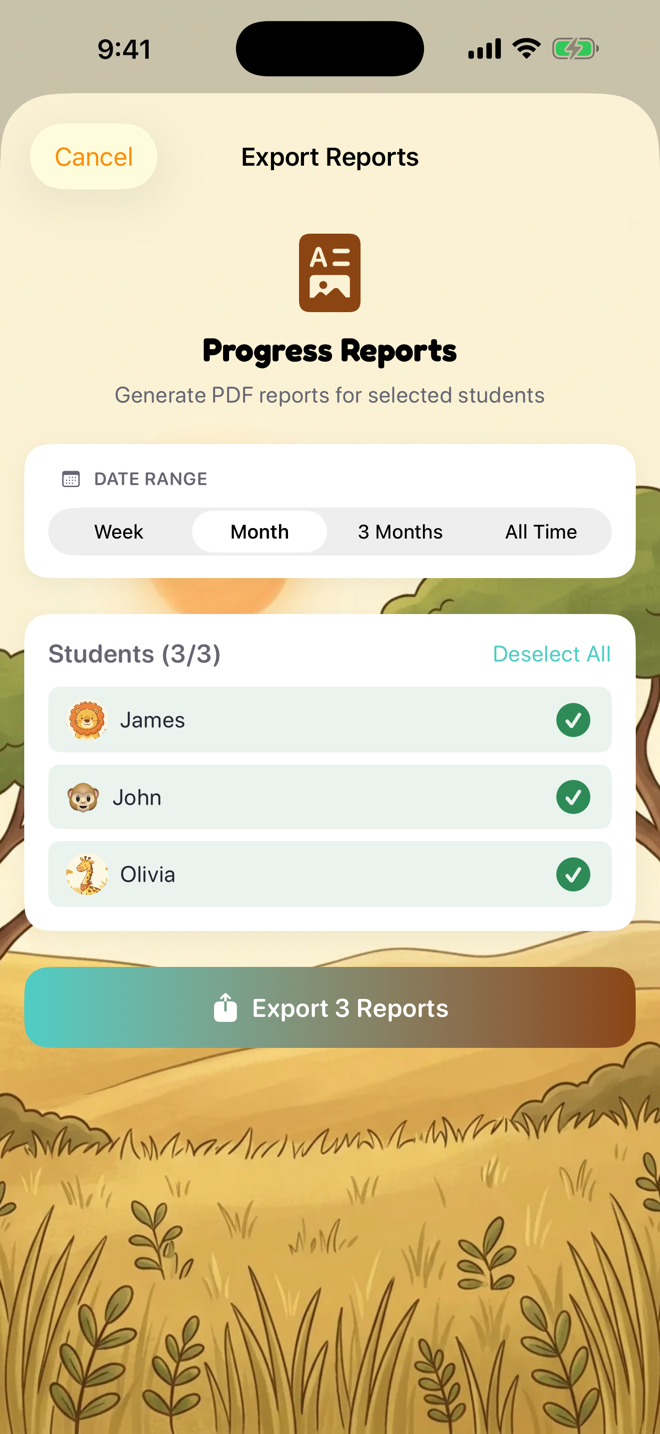
Progress Reports generates a PDF per student — session data, goals, and accuracy charts — for the date range you choose (week, month, 3 months, or all time). Select one student or your whole caseload, then share the PDFs anywhere iOS can send a file. PDF reports are part of the Pro plan.
CSV spreadsheets
Students (Roster) — caseload list with names, ages, and summary stats
Sessions — every practice score with sound, position, and details
Probes — assessment results and accuracy data
IEP Goals — goal text, status, targets, and baselines
CSVs open in Excel, Google Sheets, or any spreadsheet app.
Tip: before deleting a student or resetting the app, use Export My Data First on the delete screens to keep a copy.
One privacy note: exports contain student information — handle and share them according to your organization's policies.
Was this helpful?
Still need help? Share an idea