Setting Up IEP Goals and Tracking Progress
How to assign goals and track mastery over time.
Adding a goal from the goal bank:
1. Open a student's profile
2. Tap the Goals tab
3. Tap Add Goal

4. Browse the goal bank by category (Articulation, Phonology, Fluency, etc.)

5. Select a template and customize it using the mad-libs editor
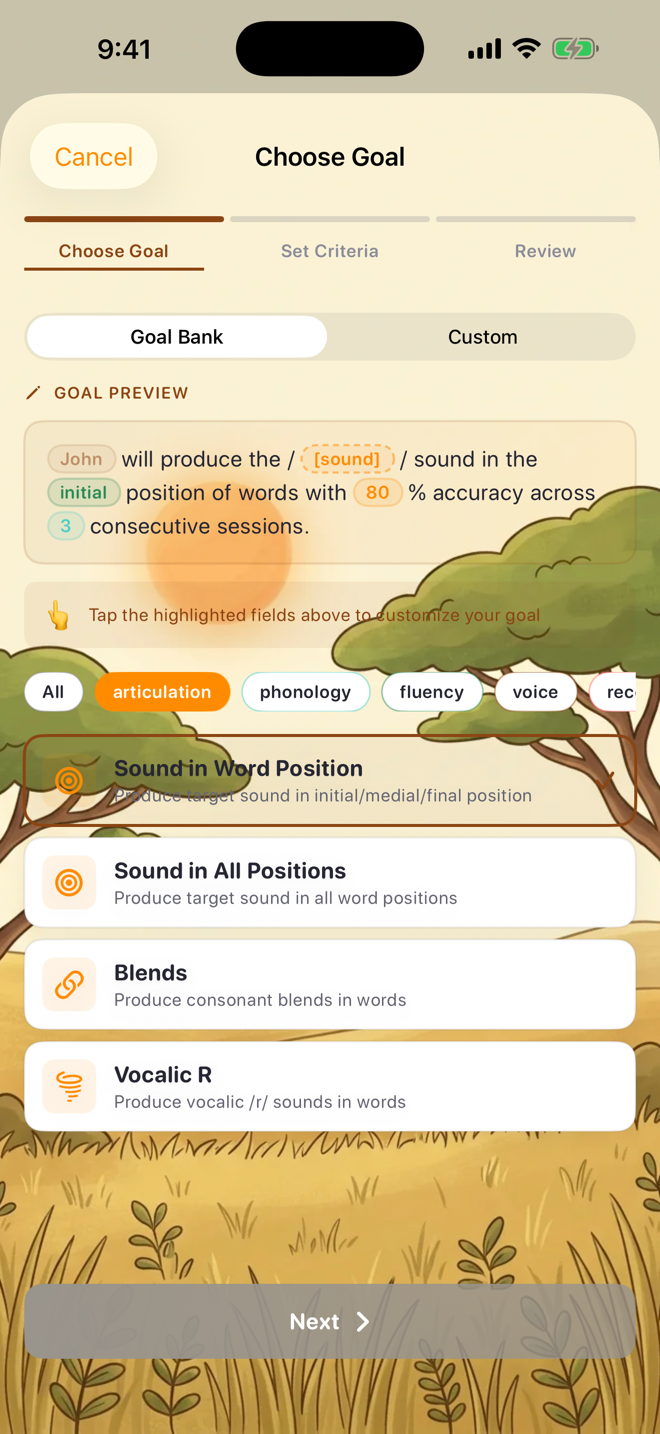
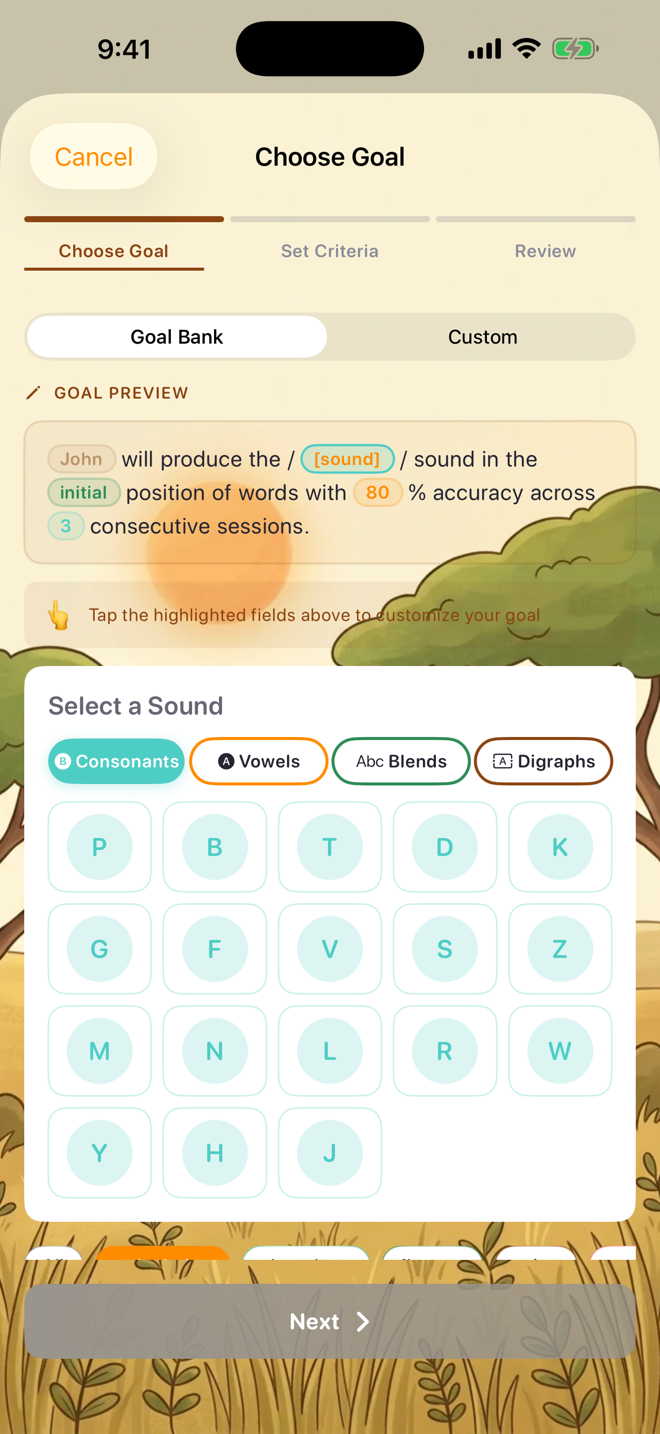
6. Set target accuracy and baseline
7. Tap Save
Creating a custom goal:
1. Follow the same steps above
2. Toggle Custom Goal on
3. Write your own goal text
4. Set target sound, position, and accuracy
How progress tracking works:
When you run practice sessions targeting the same sound and position as a goal, Sound Safari automatically links the session accuracy to the goal. You'll see:
- A progress chart showing accuracy over time
- Current vs target accuracy
- Number of sessions completed
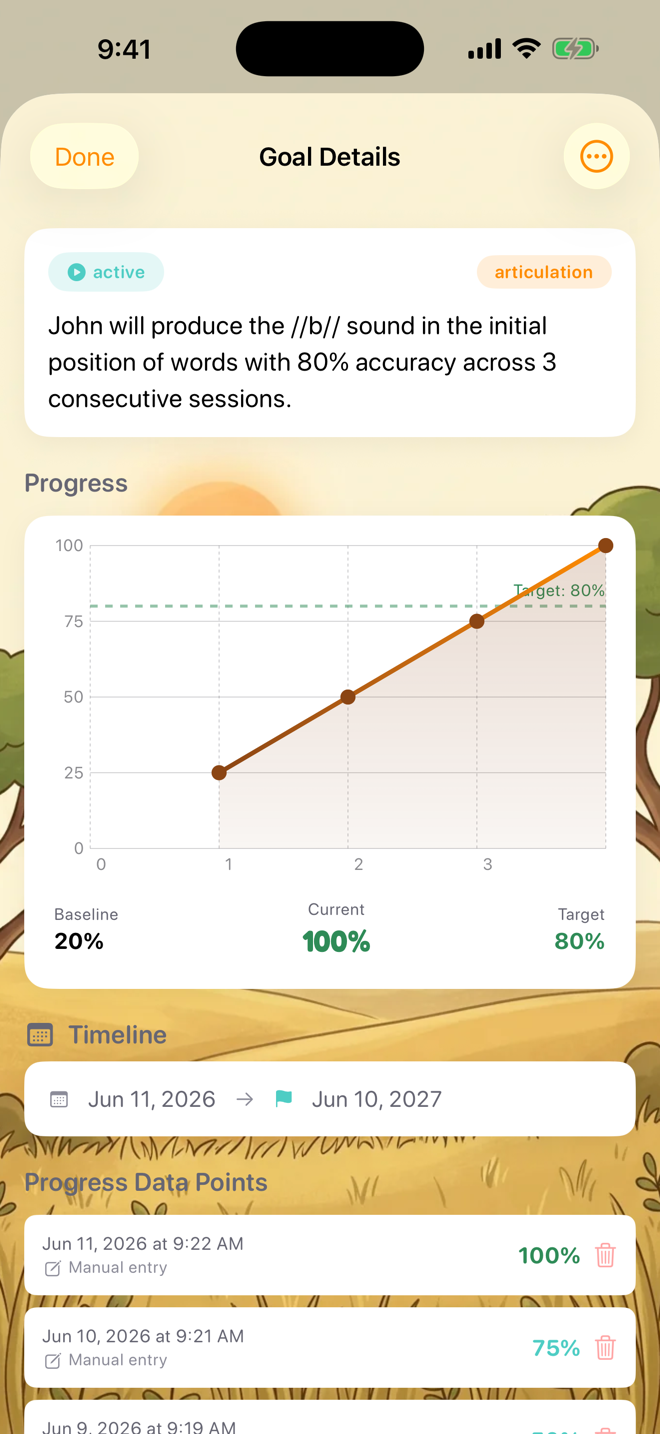
- Goal status (Active, On Hold, Mastered)
Goal statuses:
- Active — currently being targeted
- On Hold — paused but not completed
- Mastered — student has met the target criteria
- Discontinued — no longer being targeted
Was this helpful?
Still need help? Share an idea