Restoring Purchases on a New Device
How to restore your subscription after switching phones.
If you've switched phones or reinstalled Sound Safari, your subscription should restore automatically when you sign in with the same Apple ID.
If it doesn't restore automatically:
1. Open Sound Safari
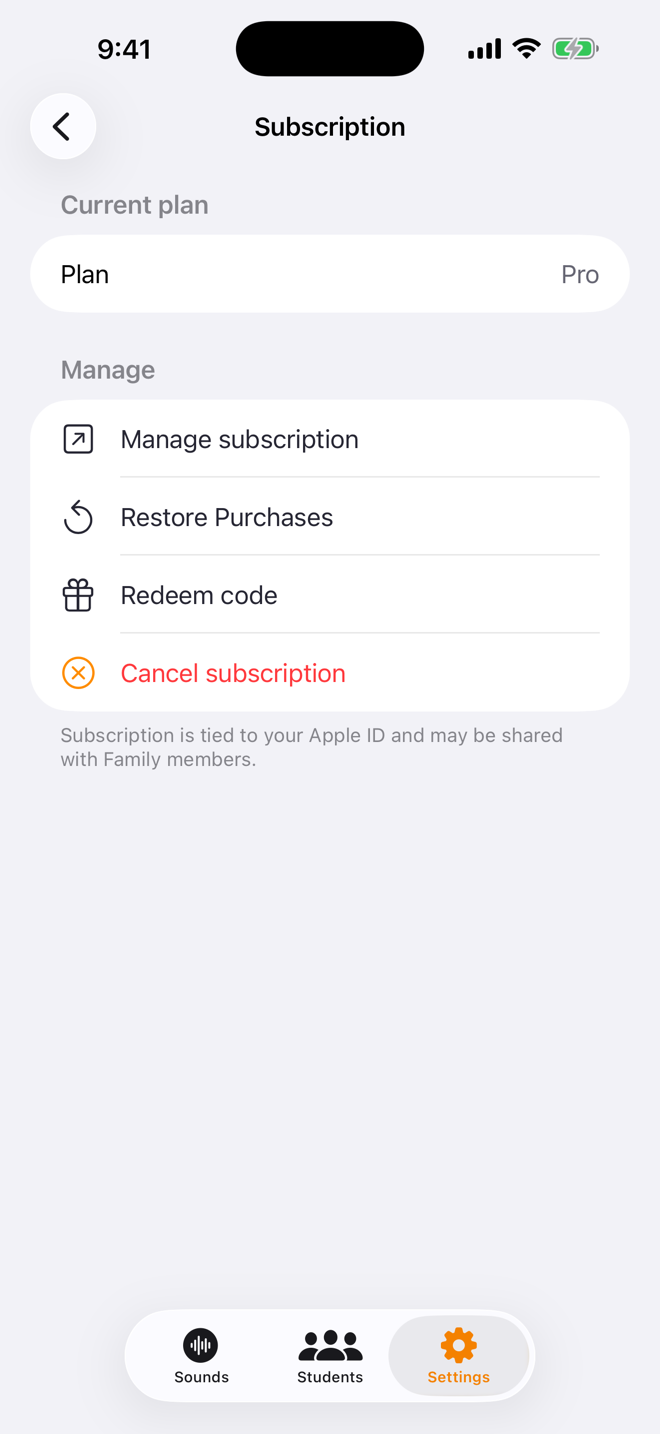
2. Go to Settings and tap Subscription under Account
3. Tap Restore Purchases
4. Wait a few seconds — your subscription will reactivate
Still not working?
- Make sure you're signed in with the same Apple ID you used to subscribe
- Check that your subscription is active in Settings > Apple ID > Subscriptions
- Try restarting the app
Was this helpful?
Still need help? Share an idea